Project — 04
Jade
A small command-line tool that keeps messy directories tidy. It sorts files by rules you write in YAML, flags duplicate copies by content hash, and takes timestamped backup snapshots — and it is conservative by design: every run can be previewed first, and it never overwrites or deletes your files.
Python / CLI / YAML
View code01 — What it does
Three jobs, one tool
Jade does three things, each driven entirely from a config file rather than buried in code. It tidies cluttered folders, hunts down duplicate files by their content, and keeps versioned backups — and any of them can run on its own or together in a single pass.
Organize
Sort files into destination folders by extension, name pattern, age or size.
Dedup
Find byte-identical files by SHA-256 hash and quarantine the redundant copies.
Backup
Take timestamped snapshots of a source and keep only the latest few.
Run one job, or all three in a single pass
02 — From config to run
Write it, then preview it
The whole tool is really two moves: describe what you want in a config file, then run it and read the plan back before anything touches the disk.
01 — The config
Rules, not code
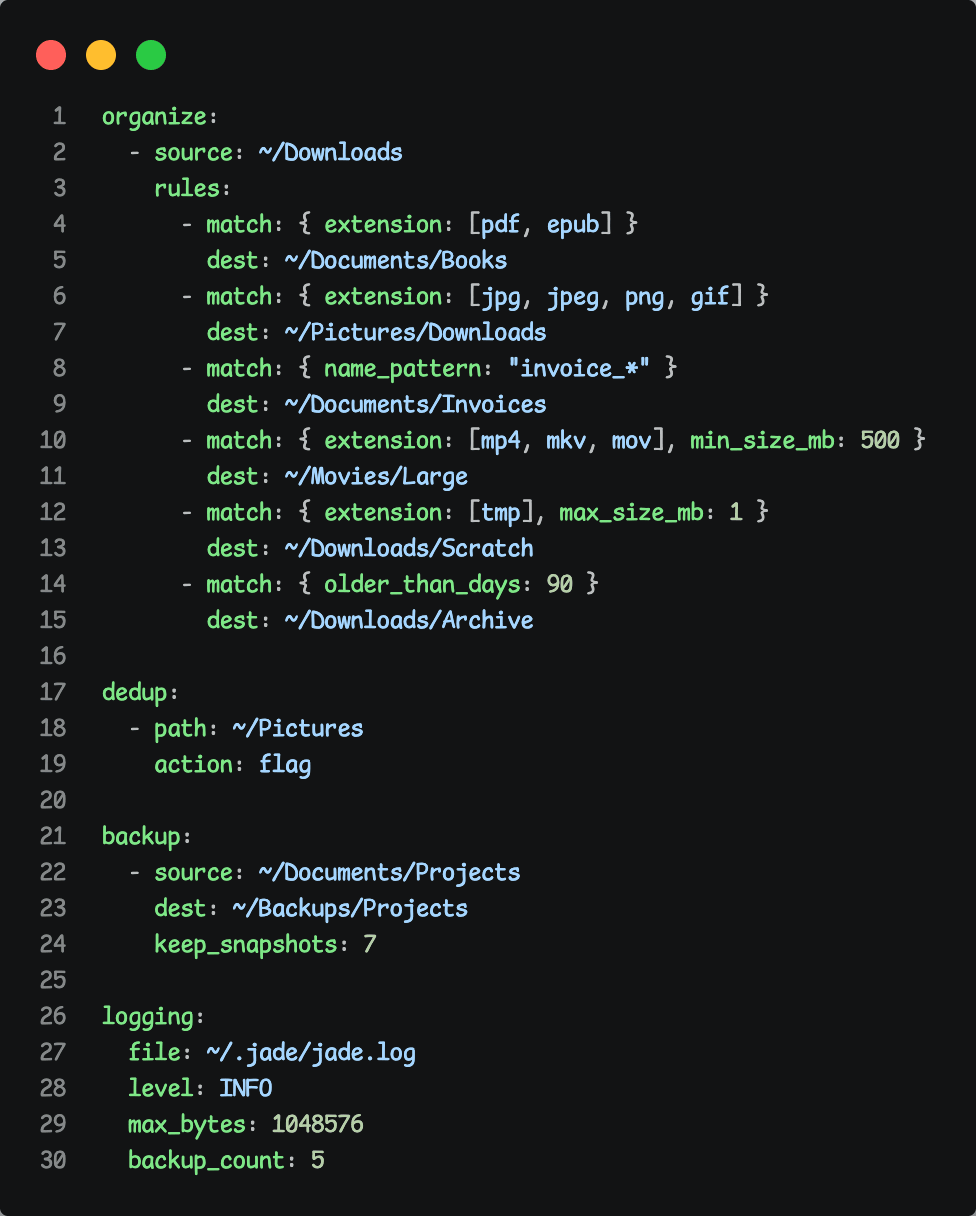
All behavior lives in one YAML file. Organize rules match files by extension, filename pattern, age or size and send them to a destination; dedup points at a folder and chooses what to do with the copies it finds; backup names a source, a destination and how many snapshots to keep. The config is validated up front, so a typo fails loudly with a clear message instead of doing something surprising.
config.example.yaml
02 — The dry-run
Dry-run first
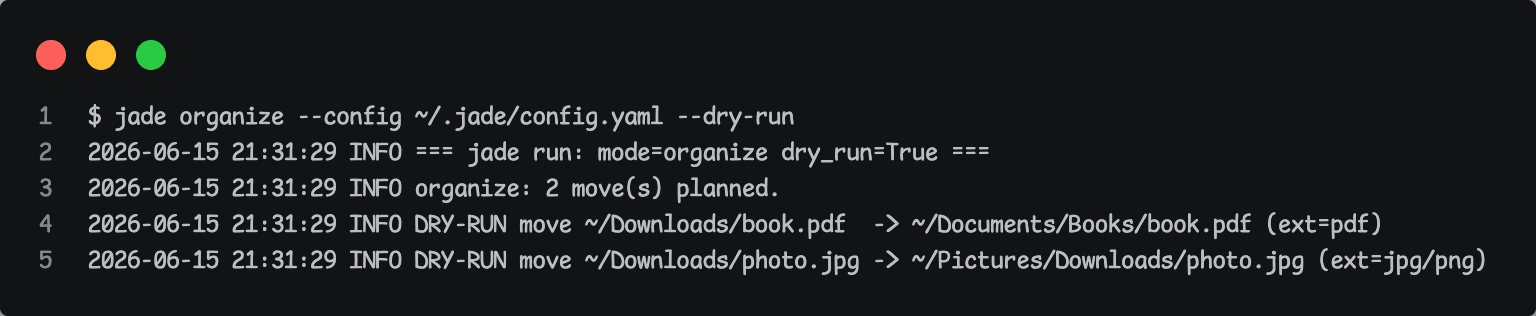
The tool always computes the full plan before it touches anything, which makes the dry run honest: --dry-run prints exactly what would happen and changes nothing. When you do let it run, it never overwrites — name clashes get a numeric suffix — and it never deletes your files; the only thing it ever prunes is its own old snapshots. Runs are idempotent and everything is written to an audit log.
jade organize --dry-run
03 — Closing
Boring, on purpose
I started Jade to stop dragging files around by hand, but the real exercise turned out to be restraint. A tool that moves and deletes things is only worth using if you trust it, so most of the work went into the unglamorous parts — previewing every action, refusing to overwrite or delete, and making a second run a no-op. It was a good reminder that for anything touching your files, predictable beats clever every time.